Wear it to bed
Sleep with your Apple Watch, or any device or app that saves your sleep to Apple Health.
Dozely reads your sleep from Apple Health and explains every night with a score that shows its math. Then it gives you one clear thing to try tonight.
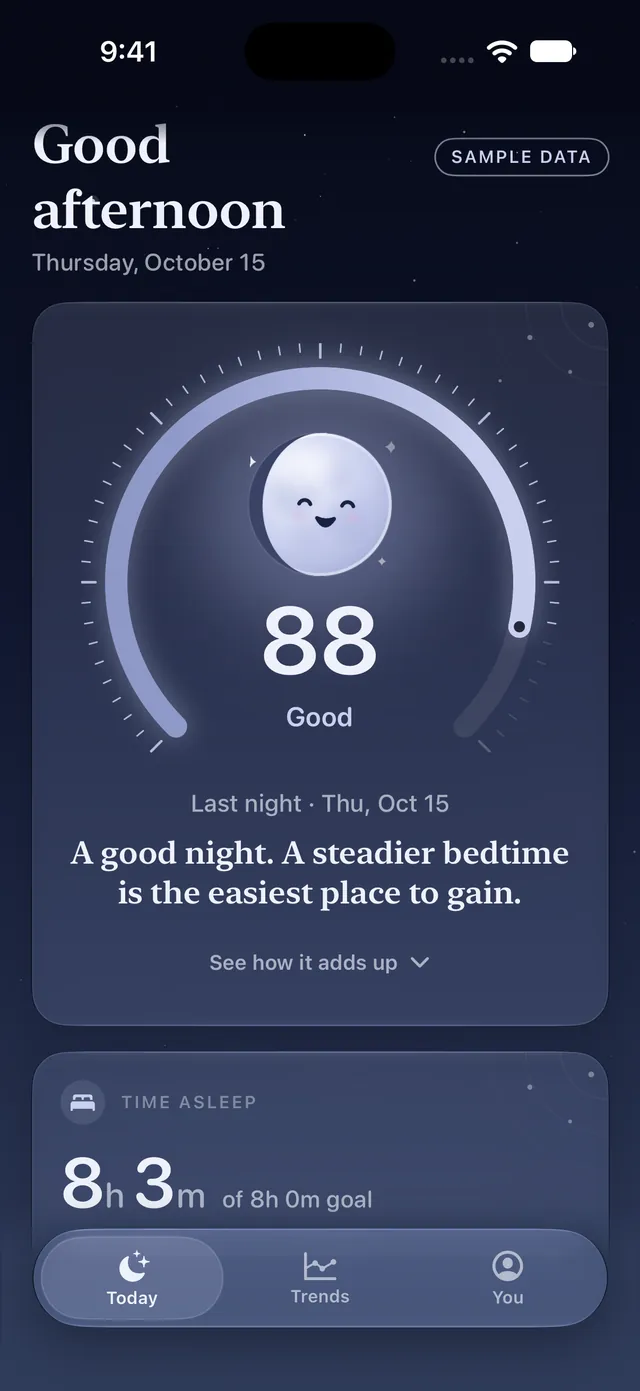
Real app screens, shown with Dozely's built-in sample data.
Luna is Dozely's moon. Each morning he fills to match last night's score, so you can read your night at a glance: a thin, drowsy crescent after a rough one, a full, glowing moon after a great one.
Luna's glowing. That's a great night.
Luna lives on your Today screen, on your Apple Watch and in your widgets.
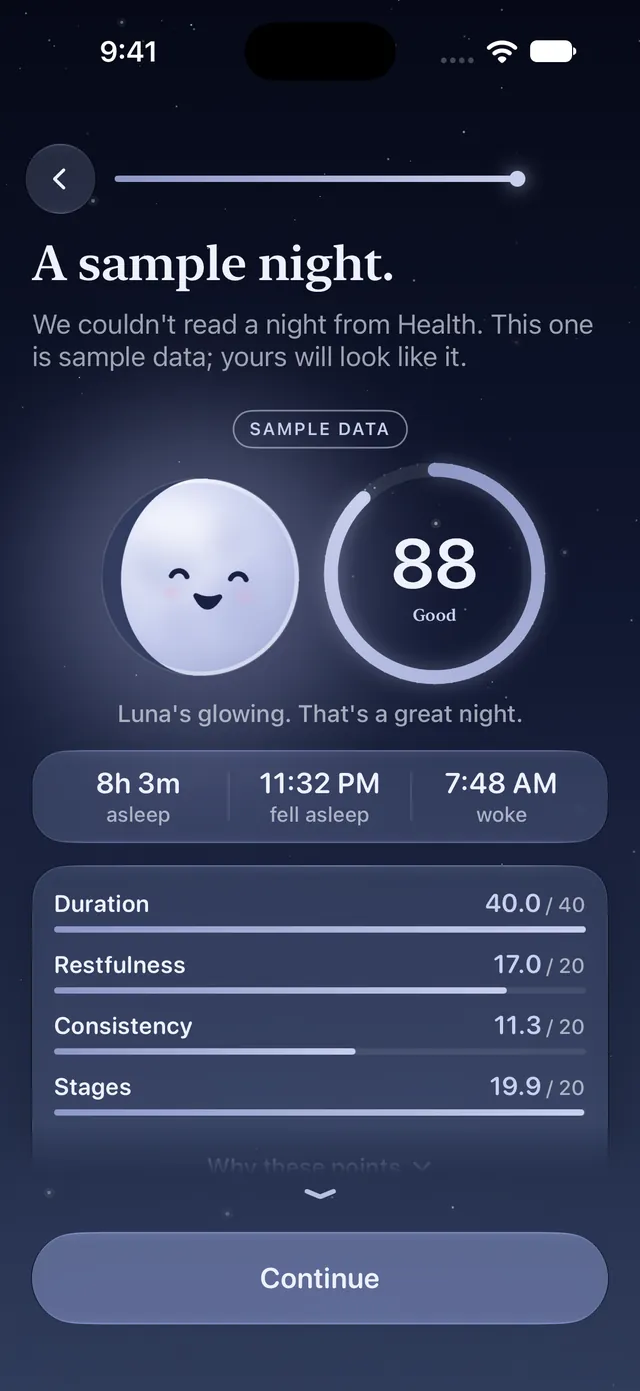
Every point is accounted for. Four parts each earn their share of 100, each with a plain-English reason and a tip for what would earn more.
If your device didn't measure something, it's left out, not guessed. The score is rescaled to what you do have, and it tells you so.
Touch and drag along the timeline to read any moment: the stage, when it started and how long it lasted.
Sleep with your Apple Watch, or any device or app that saves your sleep to Apple Health.
Read-only access, with a clear explanation first. Choose "Not now" and you can still explore with sample data that's always labelled.
Your score and how it adds up, your sleep debt, and one thing to try tonight.
Bars show broad general adult reference ranges, not personal targets. Informational only.
To get your full 8h 0m, lights out by 10:45 PM.
After at least 5 nights with a tag and 5 without, Trends shows what goes with your better nights. Patterns in your own nights, not proof of cause.
A guided session in the You tab, and on your Watch with a gentle tap at each breath.
Wrong start time? Asleep in front of the TV? Correct it, count it as a nap, or hide it. Save the corrected night to Apple Health only if you choose.
A two-page PDF summary of your last 30 nights, plus a CSV of every night. Created on your iPhone, shared only when you choose.
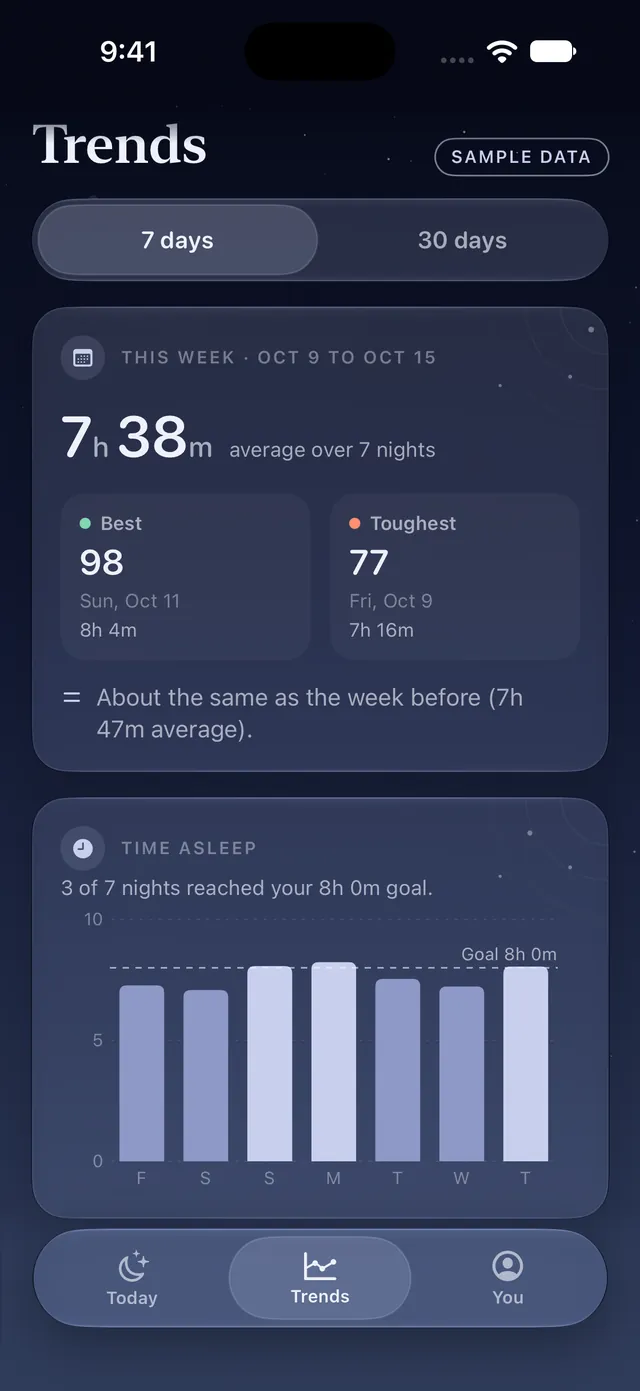
Seven or thirty days at a glance, with a plain summary of what changed.
Example data
Luna and your score, time asleep, tonight's bedtime and a guided wind-down with a gentle tap at each breath. The Watch app reads Apple Health on the Watch itself, so it doesn't need your iPhone nearby.
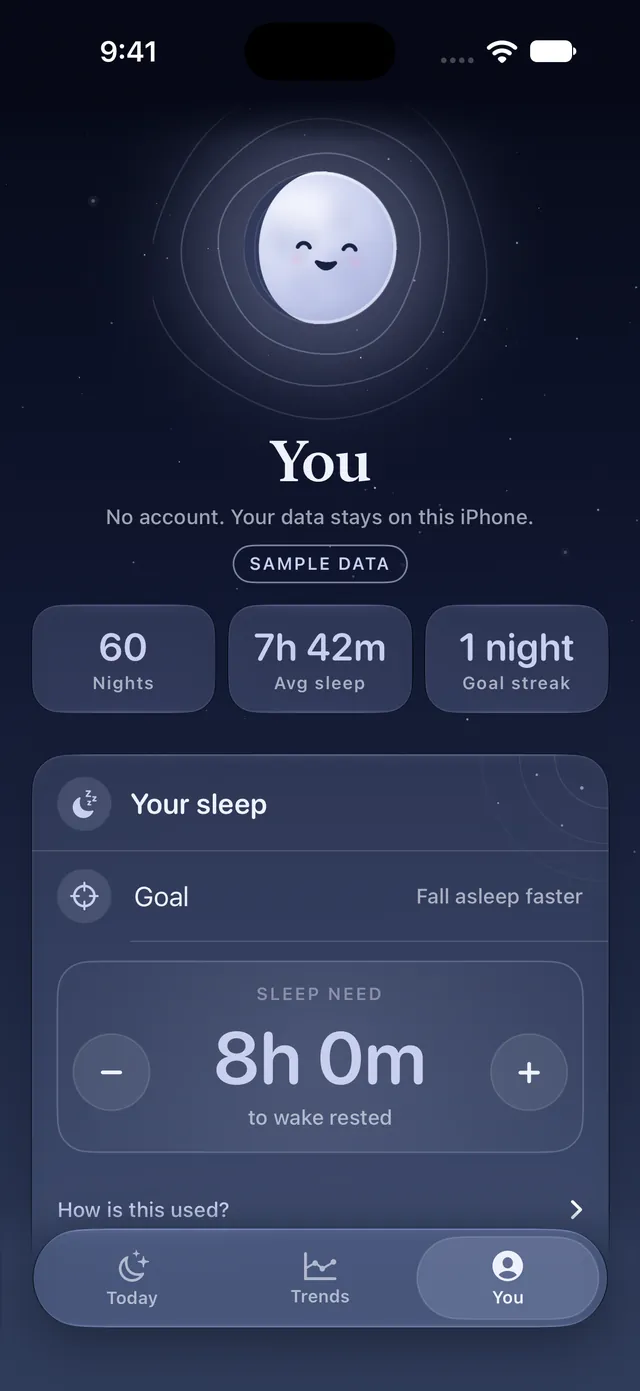
Your sleep is yours. Dozely keeps it on your iPhone, and there's nothing to sign up for.
No account, sign-in or email field anywhere in the app. Open it and start.
Dozely has no servers to send your sleep to. No analytics, no ads, no trackers. Its only connection is Apple's App Store, for your subscription.
Dozely never changes Apple Health unless you save a corrected night, and it never deletes anything there.
"Delete all my data" removes everything Dozely stores on your iPhone, in one step.
Pick a plan in the app. Billed through your Apple ID, and you can cancel any time in Settings.
$59.99/year, charged at purchase. Renews automatically until cancelled.
Prices shown in US dollars; the App Store shows your local price. Payment is charged to your Apple ID. A subscription renews automatically unless it's cancelled at least 24 hours before the end of the current period. See the Terms of Service and Privacy Policy.
Dozely reads sleep that's already in Apple Health. An Apple Watch worn to bed gives the fullest picture, including sleep stages. Other devices and apps that save sleep to Apple Health work too. Anything a source doesn't measure is left out of your score rather than guessed, and Dozely tells you what's missing.
No. There's no account, sign-in or email field anywhere in Dozely. Your subscription is tied to your Apple ID by Apple.
On your iPhone. Dozely has no servers and doesn't upload your sleep anywhere. A small summary of last night is shared with your own Apple Watch and widgets. If you back up your iPhone, Apple includes Dozely's settings, tags, notes and corrections in that backup. Read the privacy policy.
Only if you ask it to. Access is read-only, except when you correct a night and choose to save it to Health. Dozely then adds a single "Asleep" entry after you confirm. Nothing already in Health is changed or deleted.
No. Dozely is informational and isn't a medical device. It can't diagnose or treat anything. If you're concerned about your sleep or health, talk to your doctor.
Dozely Pro is $59.99 a year or $8.99 a week (US prices; the App Store shows your local price). It's billed to your Apple ID and renews automatically until you cancel.
Cancel any time in the Settings app: tap your name, then Subscriptions. In Dozely, the You tab has Manage Subscription and Restore Purchases. Restore Purchases also appears on the subscription screen.
In the You tab, choose "Delete all my data" and hold to confirm. It removes everything Dozely stores on your iPhone, including tags, notes, corrections, settings and reminders. Your sleep data in Apple Health stays where it is; you can manage that in the Health app.
Still wondering about something? Visit support
Wear your Watch to bed, and wake up to a night that finally makes sense.